



Away from public social media
We don’t use AI to process or train on uploaded photos and videos.
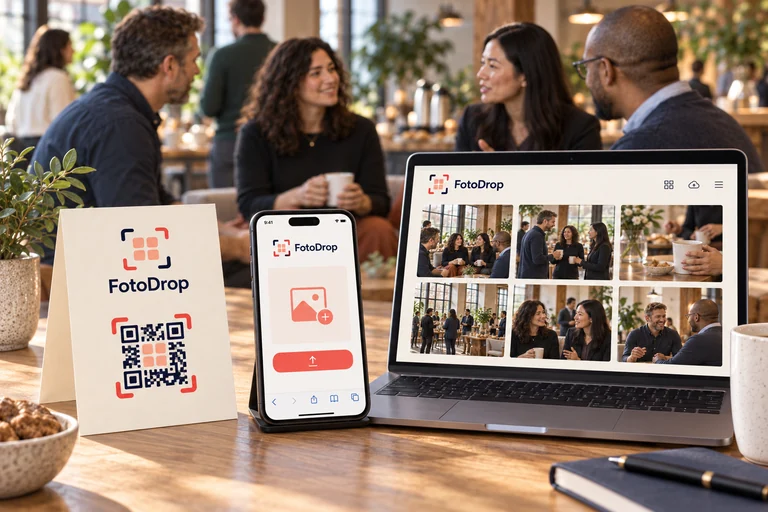
Guests scan a QR code and add photos right in their browser. No app or sign-up. Enjoy the moments together.
Illustrative photos on this page were generated with AI.

Start with the occasion closest to yours.
You decide who gets the album link.
Privacy and data handlingWe don’t use AI to process or train on uploaded photos and videos.
Optional features depend on the album plan and mode.
You can send the link or QR code to the guests you choose.
Save the photos you want before hosting ends.
Choose a name and the basic options.
Guests scan the code or open the link. No app or account needed.
Guests add them in their browser. Find them together in one album.
Paid plans are one-time purchases with no subscription.
Optional private collection: the organizer reviews photos before publishing the album; guests can see their own uploads.
No fixed photo or video count limit within the included 25 GB. Per-file limits apply.
Already on Mini? Upgrade to Full for $10. You only pay the difference. Add-ons and Event Kit Base and XL are available at checkout. School plans are not offered on this site.
A Full album is enough for straightforward photo sharing. Each Event Kit has a shared gallery, moderation process and hosting period. Independently managed events or galleries need another Event Kit.
When is a Full album enough?Guests can add photos from across your celebration to one shared album.


Create an album, then share its QR code or link. Guests open it in their browser and add photos to one shared album. You manage the album and save the photos before hosting ends.
No. Guests scan your QR code or open the link and upload in their phone browser. A password-protected or encrypted album also needs the password or the complete link containing the encryption key. You sign in by email to manage the album.
The Free album includes 100 photos and 14 days of hosting from the first upload. No payment card is required. Videos are not included.
Your 14 days start with the first successfully uploaded photo, including a test photo. You can create the album and prepare its QR code in advance. If you want to try uploading before your event, use a separate test album. An album with no uploads expires after 365 days.
Yes. Open your album’s management page to upgrade to Mini ($9) or Full ($19), or to add photos, video, storage or more hosting time. Each purchase is a one-time payment with no subscription. For larger events, Event Kit Base and XL give you a separate event workspace. School plans are not offered on this site.
Photos are optimised before upload to at most 4,000 pixels on the longest edge. The stored photos are suitable for viewing, saving and everyday prints. Keep your original source files separately for large prints, heavy crops or professional archives.
In an encrypted album, photos are encrypted in your browser before upload to the server. The key is included in the QR code and link; the complete link with the key can open the album unless another album setting prevents it. FotoDrop can technically recover the key from stored recovery data. After signing in, the owner of an active album can recover the key in the browser using the email address provided when the album was created, while that data remains available.
The server builds a ZIP from encrypted files; your browser decrypts the photos as it saves them to your device. FotoDrop retains recovery data that can technically be used to recover the key. After signing in, the owner of an active album can recover the key in the browser using the email address provided when the album was created, while that data remains available. For large albums, use Chrome or Edge on a computer; they can stream the ZIP to disk. In other browsers and on iPhone you can download a smaller album in one go; download a large one in batches.
In downloaded optimised photos, we retain only the date and time the photo was taken, its UTC offset and fractions of a second where present. If there is no usable capture time, the file timestamp may be used for ordering and export. We remove GPS coordinates, altitude and direction; camera and lens make/model; serial numbers and unique device IDs; author, owner and contact details; comments and MakerNotes; XMP/IPTC information about authors, contacts, locations, people or face regions; embedded metadata previews; and all other original metadata outside this timestamp allowlist. FotoDrop may add a technical processing-version marker containing no personal data.
In a shared album, anyone with the link can see photos made available to guests, subject to any password or encryption protection. Only share the link with the people you want to invite. FotoDrop keeps customer albums and photos out of its public search listings and sitemaps.
You can save permitted photos from the gallery. On a phone, follow the browser options to save to Photos or Files. Saving a copy does not extend the album’s hosting period.
A Free album holds up to 100 photos and also has a storage limit. Once either limit is reached, uploads stop. You can still view and download the photos available to you while the album is active. The owner can upgrade to Mini or Full, or buy eligible photo and storage add-ons, from album management. Eligibility and storage limits apply.
The album closes when hosting ends, and its photos become eligible for permanent deletion after a limited recovery period. Save your copy before the deadline shown in album management. Before then, the host can extend hosting from album management. FotoDrop is not a permanent backup service.
Yes. Sign in to manage the album, type its name to confirm and move it to the trash. Guests lose access immediately. You have seven days to restore it; restoring keeps the original expiry date. After that, the album can be permanently deleted.
Keep the album page open and follow its retry instructions. The upload status shows successful files separately from files needing attention. If a photo cannot be decoded, try exporting it as JPEG or PNG. Share the displayed support reference if you need help; never send a private sign-in link or encryption key.
FotoDrop provides a digital QR code and the printable materials included in your album plan. Print them yourself or send them to a print shop; we do not print or ship physical cards.
Each site uses a fixed storage region. You cannot choose another region or automatically move your album between FotoDrop sites. The privacy policy on the site where you created your album explains its storage and processing locations.
Put the QR code beside a short invitation, such as “Add your photos to our album”. Tables, the bar and a photo corner are good places for it. Send the link again after the event so guests can add the photos still on their phones. Remind them to wait for upload confirmation. A Free album holds 100 photos in total, so it works best for a small collection or trying FotoDrop.